Cult of PiN Controls
Every input scheme that keeps the ball alive on cursed tables.
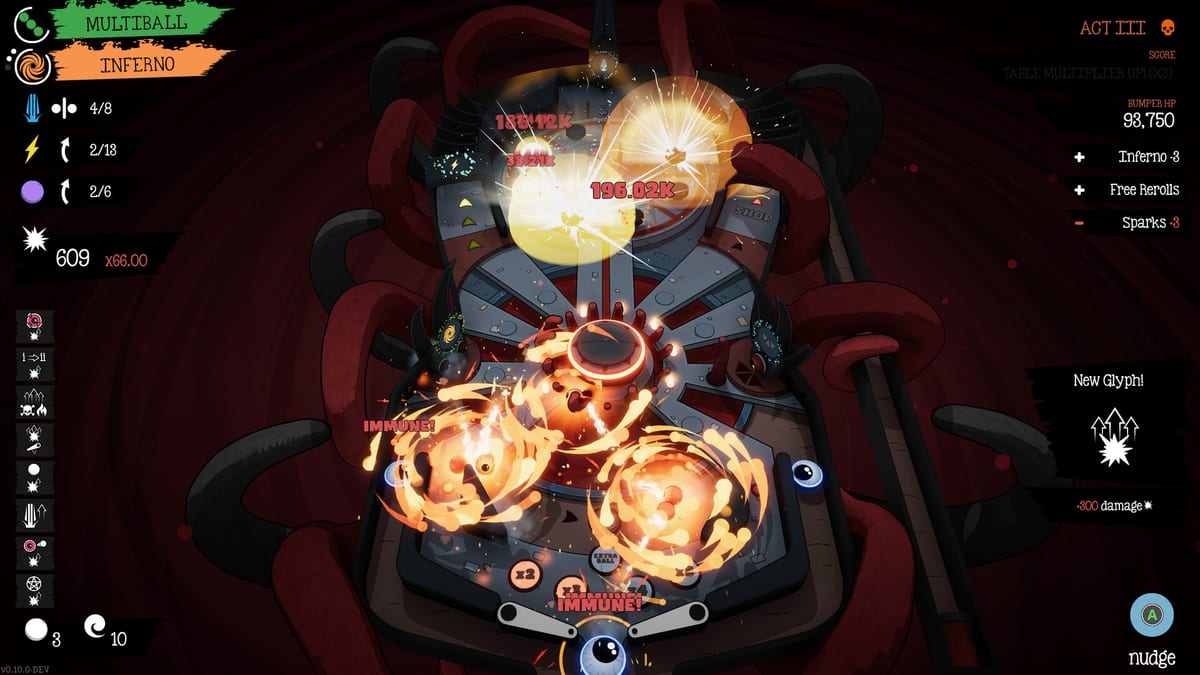
Clean inputs are half of Cult of PiN. This Controls page consolidates keyboard, mouse, and gamepad defaults so you can stop guessing mid-boss.
Default actions
Flip Left — Left Ctrl, left mouse button, or left trigger. Flip Right — Right Ctrl, right mouse button, or right trigger. Nudge — Spacebar, middle mouse, or South face button. Peek — Hold Shift or West face button to tilt the camera. Plunger / launch follows standard pinball prompts in-game.
Why cradle bindings matter
Cradling means holding a flipper raised to catch and set the ball. If your flip bindings are awkward, every advanced shot from Cradle & Nudge feels worse than it is.
Gamepad and Steam Deck
Full controller support is a launch feature. Prefer triggers for flippers so thumbs stay free for nudge and camera Peek. On Steam Deck, verify gyro is off unless you intentionally want it fighting fine aim.
Nudge discipline
Nudge saves drains and adjusts lines, but spam fails when cooldown is live. There is no classic tilt lock fantasy stopping you — the cooldown is the real limiter.
Accessibility & comfort
Steam lists camera comfort options, custom volumes, keyboard-only and mouse-only paths, and adjustable difficulty. Pair this page with System Requirements if performance hitching ruins timing.
Practice drill
Launch, cradle left, cradle right, peek to locate a top mission, nudge once on a near-drain, reset. Five minutes of this beats twenty minutes of panicked flipping.
Related reading
Getting Started · Missions & Rituals · How to Beat Bosses
Binding experiments
Try triggers for flippers for one full Act before judging gamepads. Try keyboard for precision cradles if mouse clicks feel sticky. Keep Peek on a hold, never a toggle, so you return to playfield view automatically.
Latency checklist
Close overlays, lock FPS to something stable, disable experimental gyro, and retest nudge timing. Many “impossible drains” are input stack issues. Confirm hardware headroom on System Requirements.
Accessibility mindset
Use volume sliders and camera comfort options if sensory overload spikes during Multiball. Surviving the sensory spike is part of beating How to Beat Bosses.
Hotfix #5 rebinds you should set today
Directional nudge axes are now rebindable. Put them somewhere your hands can reach without releasing both flippers during a near-drain. Confirm Peek-Up still matches your preferred hold after the Hotfix #1 Peek-Up rebind fix.
Abandon Ball binding
Map Abandon Ball before you need it. On Bonus Tables the same control skips without spending a spare. Do not place it on a shoulder you mash accidentally during Multiball.
Abandon Run vs Abandon Ball
Abandon Run (Hotfix #2 pause menu) ends the run and still submits the score to leaderboards. Abandon Ball only clears the live stuck ball. Mixing them up mid-panic wastes either a PB attempt or a spare.
Steam Deck and handheld notes
Prefer triggers for flippers, South for nudge, West for Peek, and a clearly labelled face/back button for Abandon Ball. Disable experimental gyro unless you intentionally train with it. Stable frame pacing matters more than max brightness overlays.
Comfort options
Steam lists camera comfort, custom volumes, keyboard-only and mouse-only paths, and difficulty options. After Hotfix #6, cursor lock defaults off and display mode preferences load more reliably — re-check settings once after updating.
Binding audit every patch
After any hotfix that mentions rebinds, open the menu and screenshot your map. Peek-Up, directional nudge, Abandon Ball, and flippers should be intentional. Controllers differ; Steam Deck community layouts can fight default assumptions. Five minutes of binding hygiene prevents a wasted hour-long run.
Page takeaway
Audit bindings after every rebind hotfix: flippers, Peek-Up, directional nudge, Abandon Ball. Deck players should prefer triggers for flippers and keep Abandon Ball off panic shoulders.
Frequently Asked Questions
Quick answers to the most common questions.
What is Peek?
Hold Shift or the West button to tilt the camera and read hidden targets.
Best Deck layout?
Triggers for flippers, South for nudge, West for Peek.
Is mouse-only viable?
Yes — Steam lists mouse-only support; still learn cradle timing.